
Your books, up to date.Without the data entry.
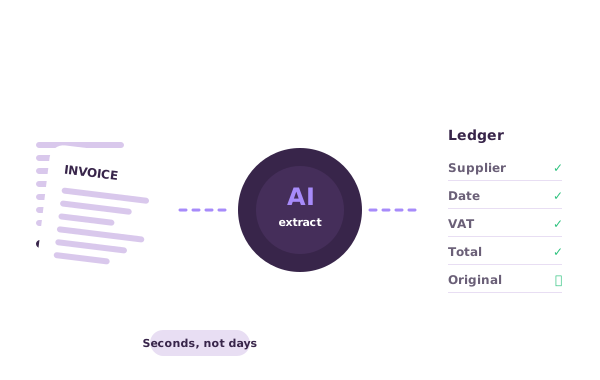
Upload a bill, email a sales invoice or snap a receipt. Doctraction reads it, checks the maths, pre-codes it from your history and, once you approve, publishes it to Xero with the original attached.
14-day free trial · 50 credits included · No credit card
Watch a document become data
Pick a sample and run it. This is what you’d get for every document you send.
- 1Capture
- 2Read
- 3Check
- 4Publish
Accuracy you can check
Doctraction doesn’t ask you to take extraction on trust. Every document is read, checked and approved by you before it reaches your books.
Read the right way. Digital PDFs are read straight from their text layer, so the numbers are exact. Scans and photos are read with OCR on our own servers.
Checked with arithmetic. Line items must add up to the subtotal, the subtotal plus tax must equal the total, and a bank statement’s opening balance plus money in, minus money out, must equal the closing balance. Anything that doesn’t add up is flagged.
Scored field by field. Every extracted value carries a confidence score, so you know exactly what to look at instead of re-checking everything.
Reviewed by people. Our team checks extracted data before it appears in your list, and high-confidence bills arrive as drafts for you to confirm. Nothing is published until you approve it.
Accuracy still depends on the document: a clear PDF reads better than a crumpled photo. That’s why every field can be corrected before you approve.
Less time on the books.More confidence in them.
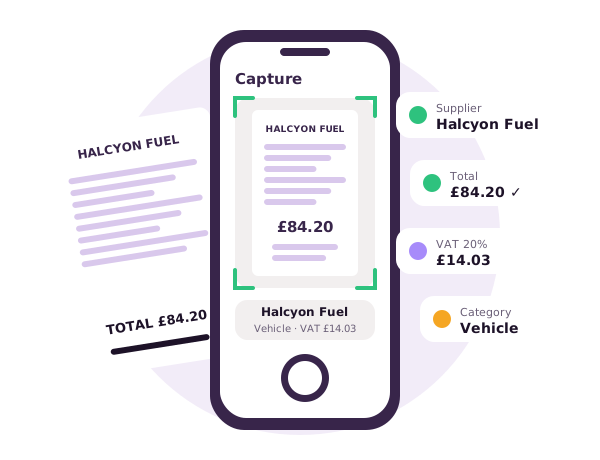
You snap it. We do the reading.
Upload a file, email it to your business’s private inbox address, or photograph it in the app. Supplier, dates, tax and totals are read for you, ready to review.
Explore Capture →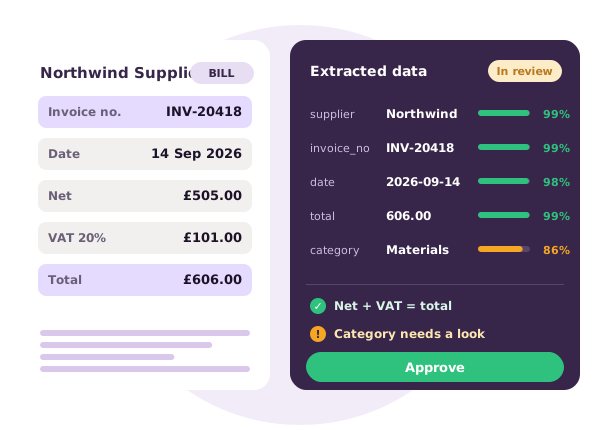
Check it once. Not three times.
See the original beside the data, with a confidence score on every field and arithmetic checks already run. High-confidence drafts come straight to you, everything else is checked by our team first.
Explore Review →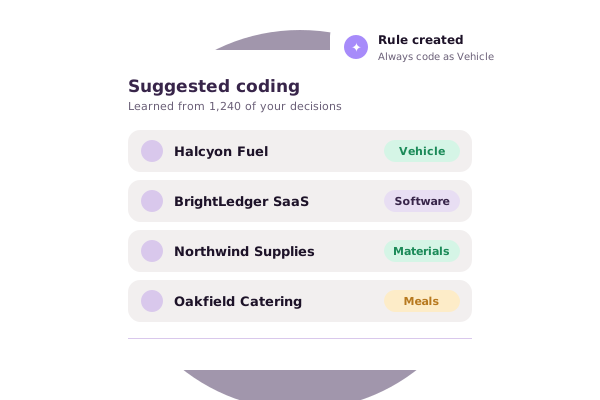
Coded the way you code.
Lines are pre-filled with the account and tax rate you chose last time for each supplier, using master data synced from your own accounting software.
See integrations → Xero
 AvrioBooks
Approved means published.
Approve a document and it is sent to Xero or AvrioBooks with the original attached. Temporary failures retry automatically, and problems you can fix are shown on the document.
How publishing works →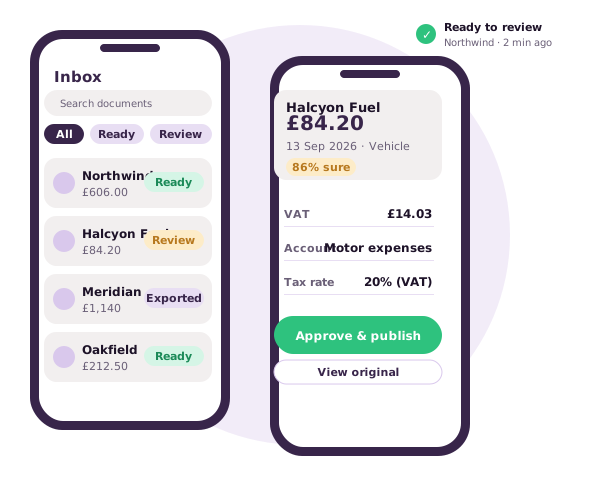
Your inbox, in your pocket.
Capture a receipt, review the data, approve and publish from your phone, with a notification when something is ready. In early access for iOS and Android.
See the mobile app →Pay for approved documents, nothing else
Credits are used when you approve a document. Uploads and rejected documents are never charged, and unused credits stay in your balance.
See pricingSee how Doctraction gives you hours back
- Send it your way
Upload a file, email it to your business’s inbox address or capture it in the mobile app.
- We read and check it
Fields, lines and totals are extracted, with a confidence score on each and arithmetic checks run.
- Review once
Our team checks it, or you do when it arrives as a high-confidence draft. Fix anything in seconds.
- Approve
Approve and a credit is used. Rejected documents are never charged.
- Publish with the original
Send it to Xero with the source document attached, and keep a record of every action.
What would you do with the time?
Estimate what manual document handling costs you today.
Assumes Doctraction removes about 85% of handling time. An estimate, not a guarantee.
After a plan cost of about £0/month.
Plans to suit your business
Monthly plans from £11, with credits for every document. Upgrade, downgrade or cancel any time.
50 documents / month
- 1 credit per bill or sales invoice
- 2 credits per bank statement page
- Credits never expire
- Unlimited uploads and email-in
- Xero publishing & QuickBooks sync
Prices exclude VAT. Assumes one credit per document; bank statements use two credits per page.
Connect Doctraction with your accounting software
Publish approved documents to Xero or AvrioBooks with the source document attached. QuickBooks Online connects and syncs your master data today, and FreeAgent, Sage and Wave are on the way.
See all integrationsAll product names, logos and brands are the property of their respective owners. Their use here identifies compatibility only and does not imply affiliation with, or endorsement by, those companies.
XeroAvrioBooks QuickBooks
 FreeAgent
 Sage
 Wave
Try Doctraction yourself with our 14-day free trial
Join thousands of businesses and practices saving time every week.
Start free trial Book a demo- 50 free credits included
- No credit card required
- Set up in minutes
- Cancel any time
Frequently Asked Questions
Free trial
Do I need a credit card to start?
No. Your 14-day trial includes 50 free credits with no card required.
What happens when my trial ends?
Choose a plan to continue, or your account pauses and your data stays safe for 30 days.
Can I cancel any time?
Yes. There are no contracts on monthly plans.
Product and subscription
What is Doctraction and how does it help me?
Doctraction reads your bills, sales invoices and bank statements, checks them, and publishes approved records to your accounting software with the original attached.
How accurate is the extraction?
Doctraction reads clear documents with about 98% accuracy. Digital PDFs are read directly from their text, so values are exact. Scans and photos are read with OCR, so results depend on the quality of the image. Every document is cross-checked with arithmetic, every field has a confidence score, and nothing is published until you approve it.
Do I need to be an accountant to use it?
No. It’s built for business owners, their teams and the accountants and bookkeepers who support them.
Which accounting software does it work with?
You can publish to Xero and AvrioBooks today. QuickBooks Online connects and syncs your master data, and FreeAgent, Sage and Wave are coming soon.
Is Doctraction available on mobile?
A mobile app for iOS and Android is in early access. Get in touch to join the list.
Document submission and data security
How do I send documents?
Upload files, email them to your business’s private inbox address, or capture them in the mobile app.
Is my data secure?
Documents are read on our own servers, not sent to third-party AI services, and access is limited to your team. See our security page for details.
Where is my data stored?
Documents stay in your business’s workspace. You can delete documents, or your whole account, whenever you decide to leave.